Up next in 10



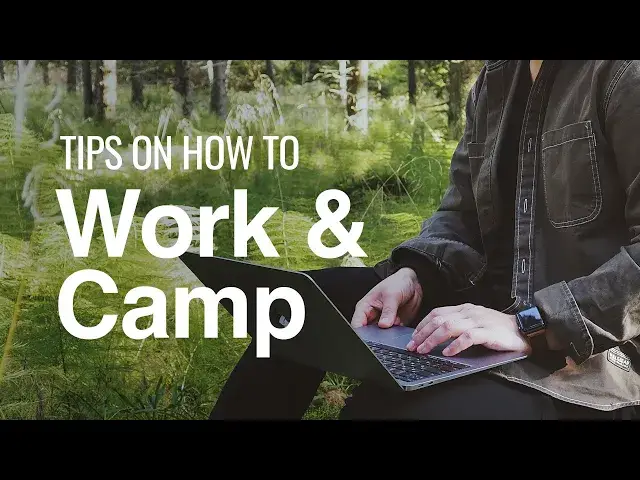
If you are able to work remotely and like to camp, then it’s likely that you can work while you’re camping: welcome to "workamping"!
From calls to emails, zoom meetings, writing, planning and so on, there is a lot you can accomplish while enjoying the great outdoors. I’ve been doing this for several years, and I have several pointers for work campers including one can’t-miss tip for first timers.
Show More Show Less View Video Transcript
0:00
Hey everybody, Simon from Lake Hub. Today we're going to be talking about how to
0:04
work and camp at the same time with your family. Now I've been self-employed for
0:08
about a decade. I've been enjoying the kind of lifestyle of camping and
0:13
working to kind of at the same time for about the last three or four years with
0:17
my family. I have some small kids, pop-up camper, and I really like it. I think it's
0:22
one of the perks of being self-employed and in this new era of so many people
0:27
being able to do work remotely and having the ability to be able to do
0:33
things like that. I think it's a great time to share some helpful tips on how
0:37
I found to work and camp at the same time or work camp. So what I'm going to
0:42
talk about is going to be your workspace, your environment, a few helpful tips, and
0:48
then one critical tip for your first time out that I don't want you to miss
0:51
So the first thing to consider is what type of work are you doing? Now that
0:56
could range from computer work, phone calls, reading, writing, programming. If you're watching this video then you probably already considered that it's
1:07
possible for you to do your job. I wouldn't recommend it for a carpenter or
1:12
an electrician or something like that, but if you're in remote sales, if you're
1:17
a middle manager, it might be possible. You know, you really have to consider that for yourself. There are a few limitations. One of those is almost
1:25
always going to be power source. The second is going to be internet
1:30
connectivity. So if your job requires, you know, some type of phone
1:35
laptop, then those are going to be your biggest concerns no matter where you're
1:40
at. I made the mistake last year of booking a campsite for about four or
1:46
five days, planned on work camping, showed up, no power, no power. So it was
1:54
a mad scramble. It was this kind of harebrained solution of solar panels and
2:01
12-volt batteries and it was a lot more stressful than it had to be
2:06
if I just paid a little more attention to what we were doing when we booked. So
2:10
that's something really critical to consider. You also want to pack accordingly. So I have a setup that I, you know, I've had basically a briefcase, a
2:20
hardshell briefcase. I recommend whatever you do to make it, you know, kind
2:24
of a hardshell container. It could be a big tote bin. It could be, you know, a
2:29
briefcase or like a Pelican case. Something to protect all your equipment
2:35
and make it packable in a way that you can put everything that you normally
2:41
would need in there and get up and go. I recommend after your first couple times
2:46
you'll figure out what exactly what piece of equipment you need to take with
2:50
you every single time. Make a list of everything required. Every charger, every
2:57
pencil, every pad of paper, sticky notes, whatever you need to do your job while
3:02
you're out on the road. Make a complete list of that. Tape it to the inside of
3:06
the lid and just check that before you go. Pack it all up and you're gone. That's
3:11
the best way to do that. Another thing to consider is what is your work
3:17
environment when you are out on the campsite. For instance, it's hard to take
3:22
a phone call in the wind. So if you have, you know, if you're camping in a
3:28
tent, then you can duck into the tent to take a phone call. But make sure that if
3:35
you're expecting a call to be ready for that so you're not zipping and unzipping
3:39
and have wind blasting into your phone while you're trying to manage that for
3:44
the first few seconds you're on the call. A little bit of planning can go a long
3:48
way. Sunlight can be a problem if you are if you're working on a laptop computer
3:54
I've found that you have to sometimes you have to you just have to blast it
4:00
the brightness all the way and get in the shade just to be able to see the
4:05
screen. So if you have a camper, you know, the bigger camper, the more reliable and
4:12
more comfortable it's going to be for establishing a workspace. If not, then
4:17
find some shade. Get out of the sun if you can. If you're blasting your
4:22
brightness, it's going to drain your battery a little bit faster. So make sure you have an extension cord and get some power to it. That sort of thing. In the
4:29
wintertime, it's really really really hard to type when it's cold. You don't
4:33
really don't think about that. But when you're outside and you're like, okay I'm bundled up, it's cold outside but that's okay. You know, I'm bundled up. You take
4:40
your gloves off, you start typing, you can last about four or five minutes before these things are frozen and you can't stand it anymore. So fingerless gloves or
4:48
again, planning a little bit of shelter, get out of the wind, things like that
4:53
Just think of it. Think through all the details and it'll come with
4:57
experience too. The final thing that's a little bit a little bit more tricky and
5:04
nuanced is when to work. You know, especially if you're with a spouse, you
5:10
know, with some friends or with your kids, it can be a little bit challenging to
5:16
actually establish boundaries and carve out the right amount of time throughout the day in order to actually get some actual real work done. So to me
5:26
that can be both a blessing and a curse. Now it can be a little bit tricky to
5:30
manage and you feel like maybe you're missing out a little bit. Like it can
5:34
kind of feel like you're working on a vacation, but you have to really look at
5:38
it from the other side that you get to vacation while you work. And as long as
5:42
you keep that perspective you can kind of manage those boundaries in a healthy
5:46
way and still take advantage of the perks. Take your kids fishing on your
5:51
lunch break. Go on a little hike. Take a break. Enjoy some sunshine. That's what
5:56
it's all about. That's why you're work camping in the first place, right? So
5:59
here's my tip for first-timers. No matter what you do when you work camping, the
6:05
very first time you go, go as close to home or office as you can. Give yourself
6:12
a little bit of flexibility to be able to shoot home, shoot to the office in a
6:16
pinch, grab something you forgot, or just completely bail out on the whole thing
6:21
if it's not working out for you. Go get some work done. Come back and camp. So
6:25
leave yourself the latitude to be able to do that the first time around or at
6:30
the very least be able to sneak out to a coffee shop that has Wi-Fi. Be able to
6:34
download something or or tackle a Zoom meeting with some connectivity that you
6:39
may not have at the campsite. So there's a helpful tip. If you've got more tips
6:44
I'd love to hear them. If you've got a little bit of experience, drop a comment
6:48
Let me know and I'd love to hear about that. So stay tuned. Next time we're gonna
6:54
be talking about remote school at the campsite
#Campers & RVs
#Hobbies & Leisure
#Outdoors
#Hiking & Camping
#Education
#Hotels & Accommodations
#Tourist Destinations
#Recreational Aviation